✦
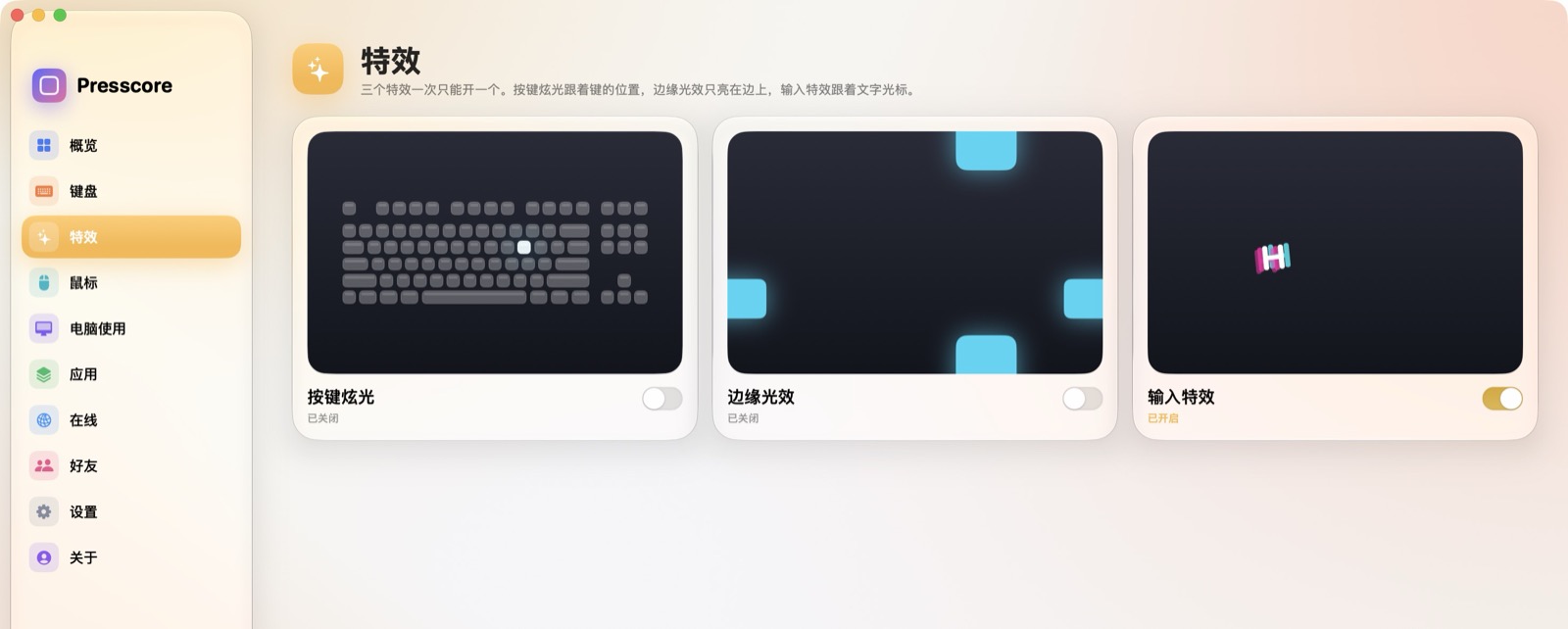
按键炫光Key glare
按下键盘,屏幕上和这个键对应的位置会闪一下。颜色可以是纯色、渐变、随机或彩虹,透明度可以单独调。A key flashes on the screen where that key sits. Pick a solid color, a gradient, a random color, or a rainbow, and set its opacity.
Presscore 住在 macOS 菜单栏里,记下按键、点击、开机时长和每个应用的前台时间。在线默认关闭,关掉时不联网。窗口一关,界面卸掉,计数和屏幕特效还在。再打开时会先加载回来。 Presscore lives in the macOS menu bar and counts keystrokes, clicks, screen time, and time in each app. Online is off unless you turn it on, and while it is off nothing goes online. Close the window and the interface unloads, while counting and the on-screen effects keep going. Opening it again loads the interface back.
需要 macOS 14 或更新。安装包未公证:第一次打开时按住 Control 点图标,选择「打开」。 Requires macOS 14 or later. The build is not notarized: the first time, Control-click the icon and choose Open.
侧边栏打开「特效」。三块大卡片各自循环演示,关掉也能先看懂它在干什么。点进去再开启和调整。屏幕特效一次只能开一个,输入特效也可以同时开着。默认都是关的。Open Effects in the sidebar. Three large cards keep demonstrating themselves, even while they are off. Open one to turn it on and adjust it. Only one screen effect runs at a time, and a typing effect can be on as well. All of them start off.
按下键盘,屏幕上和这个键对应的位置会闪一下。颜色可以是纯色、渐变、随机或彩虹,透明度可以单独调。A key flashes on the screen where that key sits. Pick a solid color, a gradient, a random color, or a rainbow, and set its opacity.
光只出现在屏幕边上。可以选上、下、左、右,或从最近的一边出来。形状是炫光或胶囊。胶囊能变长,挨在一起会合成一条渐变。Light stays on the screen edge: top, bottom, left, right, or whichever side is nearest. Glow or capsule. Capsules can lengthen and join into one gradient.
字在光标旁边弹出来,空格和回车更明显。连击可以跟在文字后面。还能配上打字声,从机械、共鸣到热度,音量可以调。Letters pop beside the cursor. Space and return are stronger. A combo can follow the text. Add a key sound, from mechanical and resonant to heat, and set the volume.
热力图、回放、点击占比、两周时长、应用排行。界面是液态玻璃,动画故意做得很明显。A heatmap, playback, click share, two weeks of time, and an app ranking. Liquid glass, with motion turned up.
按得越多越红。可以转着看,也能铺满窗口,按天回放。Keys glow with use. Orbit it, fill the window, or play a day back.
左键、右键、中键分开计数,看占比和最近的点击。Left, right, and middle clicks, with share and recent history.
未休眠的开机时间,和每个前台应用各待了多久。Awake screen time, and how long each app stayed in front.
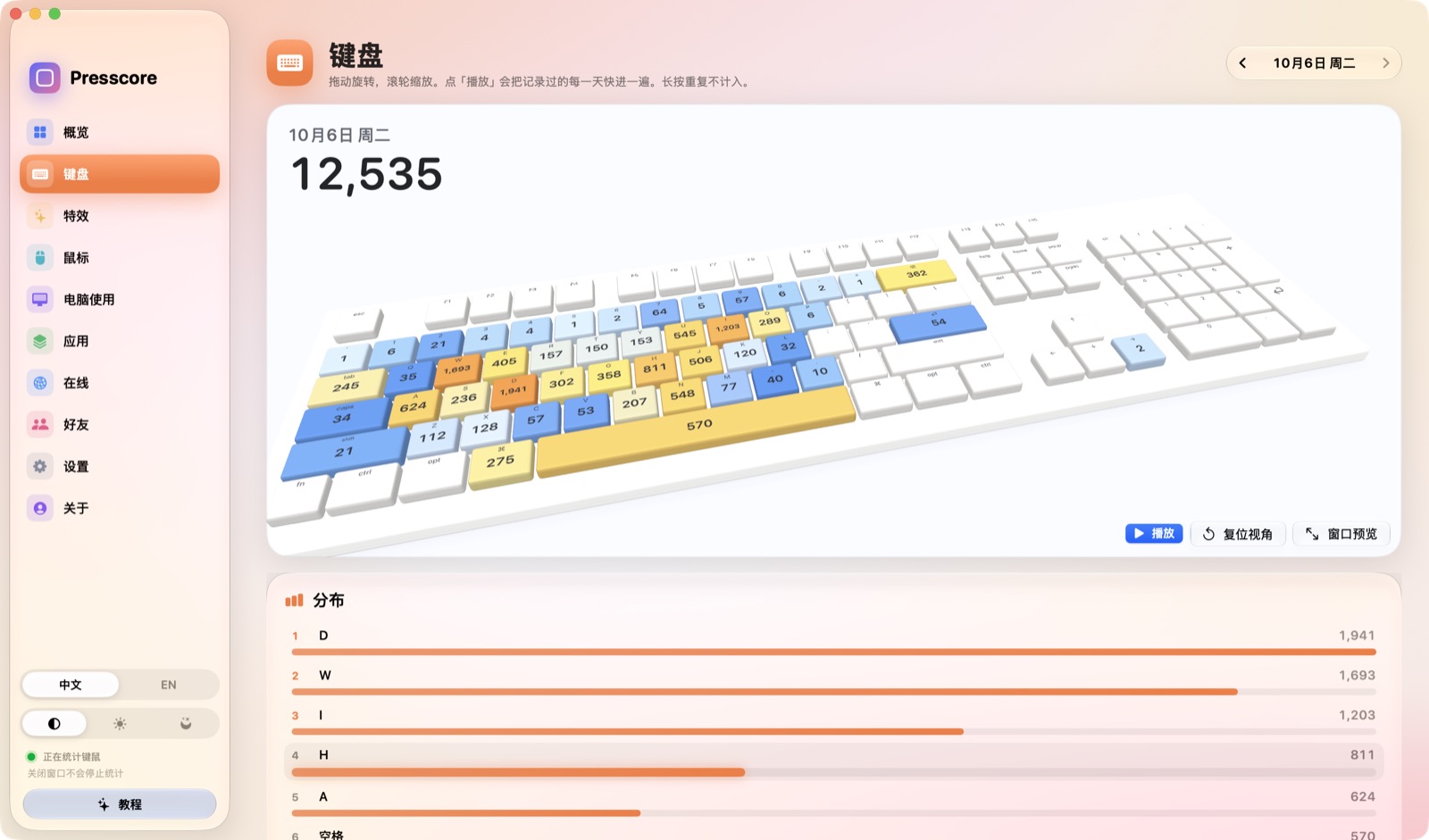
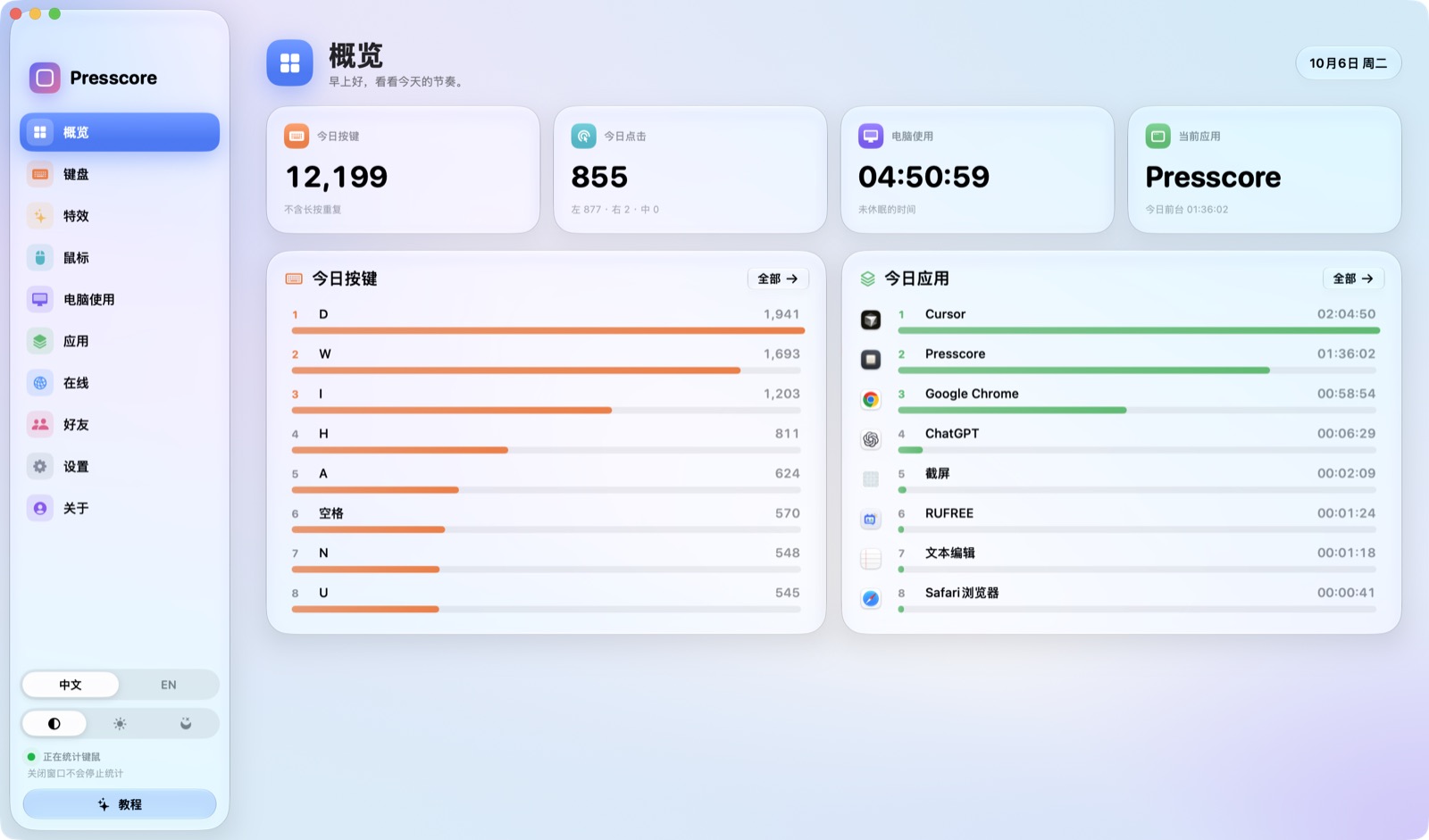
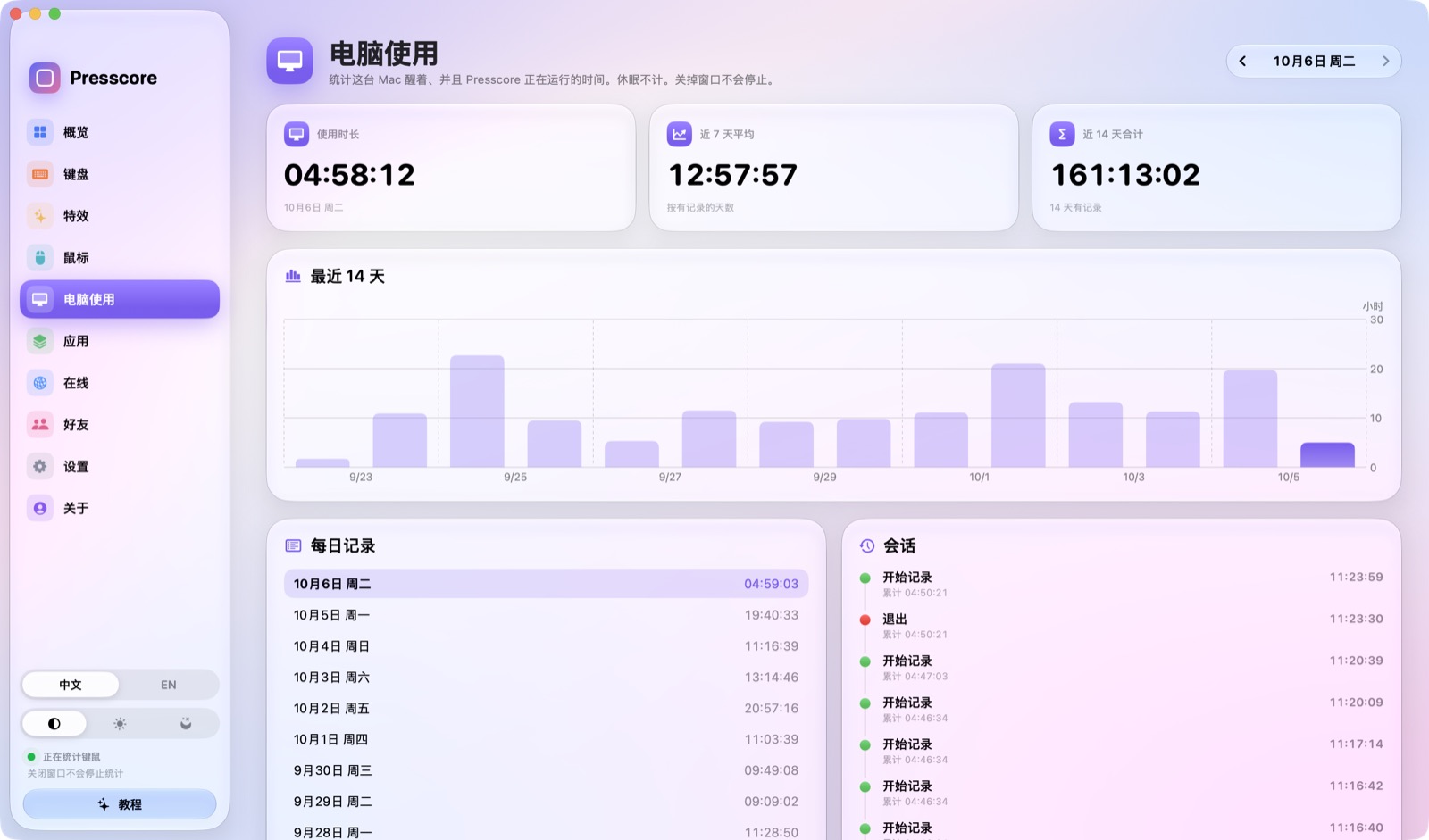
窗口收进菜单栏之后,页面、图表和 3D 键盘会卸掉。按键、点击和使用时长继续记,屏幕上的特效和按键音也继续。再点开时会先显示「正在打开」,把界面装回来。Once the window is in the menu bar, the pages, charts, and 3D keyboard unload. Keystrokes, clicks, and screen time keep counting, and the on-screen effects and key sounds keep playing. Opening it again shows a short loading animation while the interface comes back.
只记按了哪个键、按了几次,不记你打的字,也不上传按键顺序。在线默认关闭;关掉时数据只在这台 Mac。打开之后,也只上传你勾选的合计。统计键盘需要「输入监控」,由你自己打开。It records which key and how often, never what you type, and never the order of keys. Online is off unless you turn it on, and while it is off everything stays on this Mac. Turned on, it uploads only the totals you choose. Keyboard counting needs Input Monitoring, which you turn on yourself.
在设置里打开「在线」之后,才会检查更新,也才会和好友比较。关掉它,Presscore 不连接任何网络。分享的只有你勾选的合计,今天用了哪些应用也可以只挑几个。Turn on Online in Settings and Presscore can check for updates and compare with friends. Turn it off and it makes no network connections. Only the totals you choose are shared, and you can pick which of today’s apps to include.
手动检查,或打开自动检查。发现新版本会先问你,同意之后才下载安装。Check by hand, or let it check automatically. A new version always asks before it downloads.
今日按键、点击、使用时长、近 7 天按键,以及今天的应用。新应用可以自动带上,也可以只共享勾选的。Keys, clicks, screen time, keys over 7 days, and today’s apps. New apps can join automatically, or only the ones you check.
创建身份后侧边栏出现好友页。用 UID 加好友,信箱收申请。可以改头像、名字,再写一句格言。Create an identity and a Friends page joins the sidebar. Add people by UID, and requests land in the mailbox. Set an avatar, a name, and a short motto.